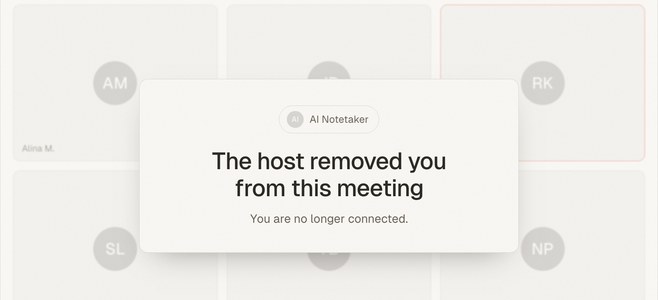
Short answer: Most top-rated AI notetakers — Otter, Fireflies, Fathom, Granola — are built around video calls and can't capture a meeting in a room. For in-person meetings, the real options narrow to a hardware recorder like Plaud or a phone-first app like meaty, which records the room from the phone in your pocket, free, with no bot and no device to buy.
If you search "best AI notetaker," almost every list ranks the same bot-based tools against each other on video-call features. That's the wrong contest if your important meetings happen face-to-face. This guide ranks the field on the one criterion those lists skip: can it actually capture a conversation happening in a room? (For the same question framed by approach rather than product, see our companion piece on AI notetaker alternatives for in-person meetings.)
What makes an AI notetaker work for in-person meetings?
Before the rankings, the criteria — because "best" depends entirely on where you meet.
- Room capture. Can it record a conversation with no video call and no meeting link? This is the pass/fail gate, and it eliminates most of the market.
- No bot required. A bot appearing in an attendee list is fine on a routine internal call and awkward-to-impossible in a client meeting, an interview, or a sensitive one-on-one.
- Low setup friction. App-store install, calendar permissions, or a device to buy and charge all add drag. The best tool for a spontaneous conversation is the one already in reach.
- Real output, not just a transcript. A speaker-labeled transcript plus a summary and action items is the difference between a recording and usable notes.
- Honest free tier. Whether you can actually run real meetings without paying, versus a trial that caps the useful part.
Now the players, grouped by how they capture — because that's what determines whether they even qualify.
The bot notetakers: Otter, Fireflies, Fathom
These are the tools that top every "best AI notetaker" list, and they're genuinely excellent — for scheduled video calls. All three work the same way: a bot joins your Zoom, Meet, or Teams call from your calendar and transcribes it. That architecture is also why none of them are built for the room.
1. Otter.ai
Otter is the incumbent. Strong live transcription, a polished app, and a free tier of around 300 transcription minutes a month (as of July 2026, per Otter's pricing). It's calendar-and-video-call first; in-person capture isn't its focus. We go deep on that gap in our Otter alternative guide.
2. Fireflies.ai
Fireflies is the sales team's pick — 60+ languages and heavy CRM integration. Its free plan is generous on transcription but caps storage at around 800 minutes per seat and meters AI features through a small credit pool (as of July 2026, per Fireflies' pricing). Still bot-based, so the same in-person blind spot applies; more in our Fireflies alternative guide.
3. Fathom
Fathom has the most generous free tier of the three: unlimited recording and transcription, though AI summaries and action items are capped at five meetings a month before you hit a paid plan (as of July 2026, per Fathom's pricing). Loved by individuals for its speed — but it still needs a call to join.
The verdict on bot tools: if your week is scheduled video calls, one of these is probably your answer, and the friction is close to zero because they auto-join. For an in-person meeting, there's simply no call for the bot to attend.
4. Granola — the bot-free desktop tool
Granola earned a following by dropping the bot. Instead of joining the call, it captures your laptop's system audio locally, so nothing appears in the attendee list — a real improvement for meetings where a visible bot is unwelcome. Its free "Basic" tier caps meeting history at 25 notes total (lifetime, not monthly), with paid plans from around $14/user/month (as of July 2026, per Granola's pricing).
The catch for our purposes: bot-free still isn't the same as room-capture. Granola listens to your computer's audio, which is perfect for a video call you're taking at your desk and much weaker for a conversation happening around a table away from a laptop. It's a desktop tool for the video-call worker who hates bots — not a tool built for the room.
5. Plaud — the hardware recorder
Then there's the category that is built for in-person: dedicated AI recorders. Plaud is the most visible — the Note Pro is a slim recorder (around $189, as of July 2026, per Plaud's site), and the NotePin is a wearable version. They record in-person conversations and phone calls, transcribe in many languages, and generate summaries, with a free tier around 300 minutes a month before a subscription.
Hardware has genuine advantages: purpose-built microphones, long battery life, and a single-purpose device that never gets interrupted by a notification. If you record professionally all day — field interviews, back-to-back client visits — dedicated hardware can be worth it.
The trade-off is that it's a device to buy, charge, carry, and not lose, plus a subscription for the AI features. For most people, that's a lot of overhead to capture the meetings a phone could already handle.
6. meaty — the phone-first app
This is the category meaty occupies, and it's built for exactly the gap the rest of the list leaves open: capturing the room without buying hardware or installing anything.
You open meaty in your phone's browser — it's a PWA, so there's no app-store install — tap record, and set the phone on the table. It captures the in-person conversation, or a call played out loud on speaker, from the device already in your pocket. There's no bot in anyone's attendee list. It's free to start, with the full output on the free tier. (For video calls at your desk, meaty also has a Chrome extension that records the tab's audio straight from the browser — still no bot.)
When you stop, meaty transcribes the recording with speaker labels and generates a title, a summary, and an action-item list automatically, plus a timestamped, searchable transcript. One thing to know, because it shapes the fit: transcription happens after the recording, not live — there are no real-time captions during the meeting, which is deliberate, since the point is to stay present in the room. For the full workflow, see how to record a meeting on your phone.
Which AI notetaker is best for in-person meetings?
Here's the whole field on the criterion that matters:
| Tool | Captures the room? | Bot in the call? | Setup | Free tier (as of Jul 2026) |
|---|---|---|---|---|
| Otter | No — video calls | Yes | App + calendar | ~300 min/month |
| Fireflies | No — video calls | Yes | App + calendar | ~800 min storage/seat + AI credits |
| Fathom | No — video calls | Yes | App + calendar | Unlimited recording; 5 AI summaries/mo |
| Granola | Weak — desktop audio | No | Desktop app | 25 notes total (lifetime) |
| Plaud | Yes | No | Buy + carry a device | ~300 min/month, after ~$189 hardware |
| meaty | Yes | No | Browser PWA, no install | Free to start, full output |
Plans and prices change constantly — verify on each vendor's site before deciding.
Read down the "captures the room" column and the field collapses from six to two. Only Plaud and meaty genuinely capture an in-person meeting; the difference between them is a $189 device versus the phone you already carry.
When a competitor is the better choice
No tool wins for everyone, and pretending otherwise would be the kind of hype we try to avoid.
- Choose Otter, Fireflies, or Fathom if your meetings are overwhelmingly scheduled video calls. Auto-joining from your calendar is less effort than any manual record step — including meetings you skip entirely. Fathom's free tier is especially strong if you mostly need transcripts.
- Choose Granola if you live in back-to-back video calls at a desk and simply want the bot gone. It's a lovely tool for that exact person.
- Choose Plaud if you record in-person all day in tough audio conditions and want dedicated-microphone quality and battery life, and don't mind carrying another device.
- Choose meaty if your important meetings happen in the room — clients, one-on-ones, site visits, interviews — and you want notes, action items, and a searchable transcript without a bot, an install, or a purchase.
Many people, honestly, live in both worlds: a bot tool for the calendar calls and meaty for the face-to-face ones. Because meaty also captures a call played out loud on speaker, it can cover both if you'd rather run one tool.