The last month went into three things: getting meaty into the browser, making a finished meeting something you can hand to someone else, and admitting that automatic speaker labels are wrong often enough to need a repair kit. Here's what shipped.
meaty records in Chrome now
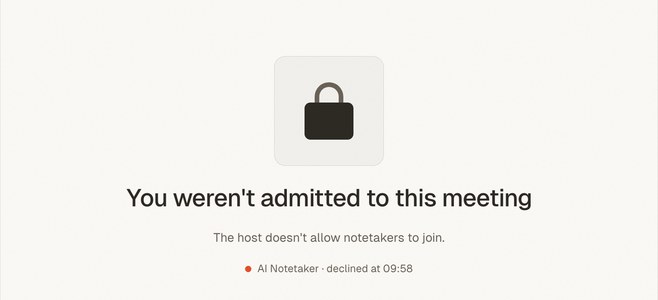
meaty.me — meeting recorder is live on the Chrome Web Store. It's a side panel, not a bot: nothing joins your call, nothing asks the host for permission, and no one sees a third participant in the roster.
Open it on the tab your meeting is running in and pick what to record — your microphone, the meeting tab's audio, or both mixed together. Tab capture is the real audio stream, not scraped captions, so it works on any meeting that runs in a browser tab. Alt+Shift+M toggles the panel, and you can rebind it at chrome://extensions/shortcuts.
The panel is per-tab and signs you in on its own — there's no bouncing out to the web app to authenticate. If you close the panel mid-recording, a handle stays pinned to the edge of the page so you can pull it back open without hunting for the toolbar icon.
One detail worth calling out because it's the kind of thing you only notice when it goes wrong: when Chrome downloads a new version of the extension, meaty holds the update until you've stopped recording and closed the panel. A browser extension that reloads itself mid-meeting loses the meeting. This one waits.
If you've been reading about Meet and Teams blocking note-taker bots or the walkthrough for recording Google Meet without a bot, this is the piece that was missing from them.
Send a meeting to someone who doesn't use meaty
Any saved meeting can now become a link. Open the Share tab, create one, and whoever you send it to gets a read-only page with the summary, the action items, the full transcript, and the downloads — no account, no sign-up wall, no "request access" dance.
You can also send it straight from the app: enter up to ten email addresses, add a note if you want, and meaty mails them the link.
Links are revocable. Hit revoke and the page is gone immediately for everyone holding the URL.
Speaker labels you can actually repair
Automatic diarization gets speakers wrong. It splits one person into two, merges two into one, and occasionally invents someone who was never there. Until now you were stuck with whatever came back. Now:
- Rename anyone — tap the pencil to enter edit mode and type over the label.
- Reassign a block of speech — long-press it and pick who actually said it.
- Remove a speaker who shouldn't exist — trash them, and meaty asks where their lines should go instead, which is also how you merge two labels that were always the same person.
Everything applies together when you save, so you're not watching the transcript re-shuffle after each individual fix.
Action item owners now inherit their speaker's colour, and the transcript itself is colour-coded per speaker with consecutive turns consolidated into paragraphs — long stretches of one person talking read like prose instead of a chat log.
Or just say what's wrong
The Actions tab has a microphone on it. Tap it and talk: "only Alice and Bob were in this meeting, there was no third person", or "add a follow-up for Bob about the pricing page".
meaty transcribes the instruction, works out what you meant, and applies it across the whole meeting — the title, the summary, the action items, and the speaker labels all at once. You were in the room; the model wasn't. Your correction wins.
This is the same instinct behind why we think presence is the feature — the fastest way to fix a machine's notes is usually to talk to it the way you'd talk to a person who took them for you.
The whole recording is kept, not just the talking
meaty trims silence before transcribing, which is what makes it fast and cheap. But the trimmed file was the only file, and if you wanted the original you were out of luck.
Every recording now also keeps a compressed full-length copy. Both show up in the meeting's downloads: the speech-only file and the complete, uncut one.
Smaller things
- Recordings are Opus-compressed before upload — around 8× smaller, which roughly halved the wait between tapping stop and reading the summary.
- Signing in is a 6-digit code sent to your email, rather than a password.
- Summaries and chat replies render markdown, so structure is structure instead of stray asterisks.
- Loading states are shimmering skeletons shaped like the content that's coming, so the layout stops jumping.
- Installed as a phone app, the meeting sheet gets a docked bottom toolbar, shows its build version, and offers a tap-to-update prompt when a new one is ready.
- Transcription runs against a second provider automatically if the first one fails. You'll never see this. That's the point.